Stringing vs Your Slicing Skills – Let’s Settle This Once and for All
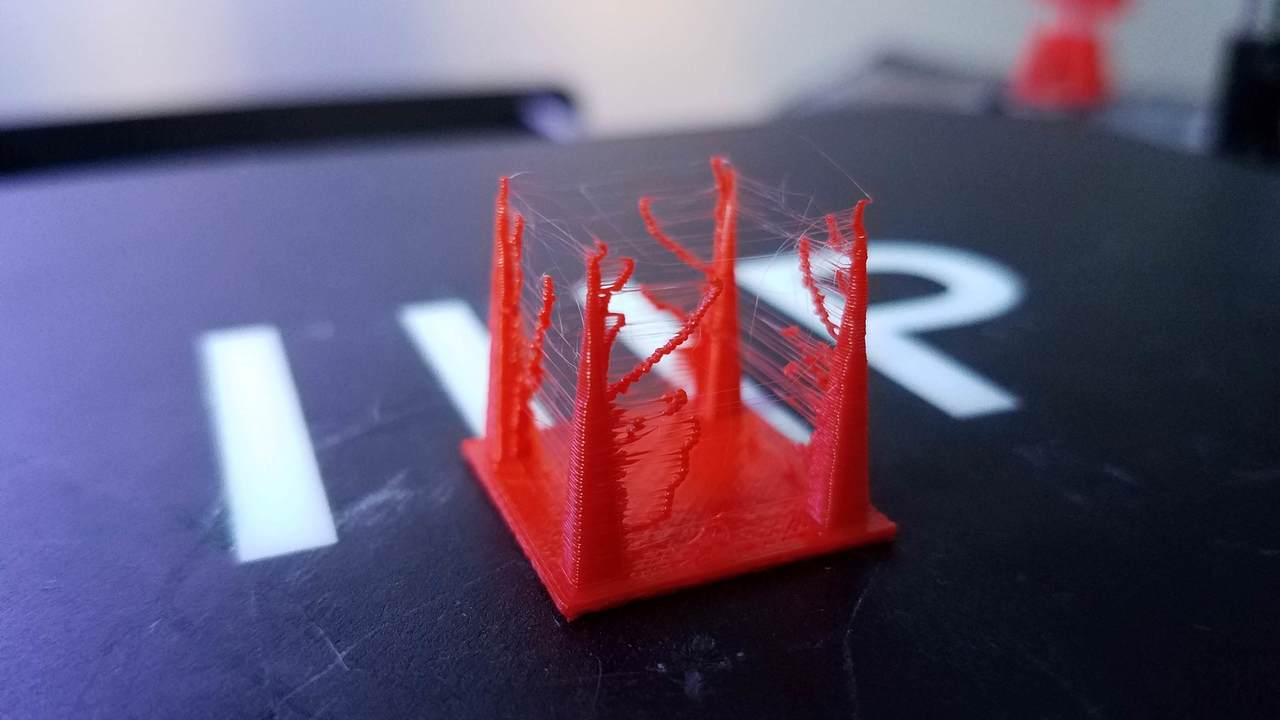
Every 3D printer user runs into it sooner or later. You finish a print, lift it off the plate, and it looks like a spider built a web all over it. That mess of thin plastic strands is called stringing, and it ruins the look and precision of any part.
A lot of people instantly blame their filament. In reality, stringing usually comes down to slicer settings and basic tuning. The good news is that once you understand what causes it, you can eliminate it for good.
What Causes Stringing
Stringing happens when molten filament continues to ooze from the nozzle while the printer moves between separate parts of the print. The longer the nozzle stays hot and in motion without proper retraction or cooling, the worse it gets.
Here are the main causes and what you can do about each one.
1. Temperature Too High
If the nozzle temperature is set too high, the filament becomes too runny and keeps dripping during travel moves.
Fix: Lower your temperature in small steps, about 5 to 10 °C at a time, until the stringing stops while still keeping good layer adhesion.
2. Retraction Distance or Speed
When retraction distance is too short or retraction speed is too low, the printer fails to pull the molten plastic back fast enough before moving.
Fix: Increase both gradually. Don’t go overboard, or you’ll cause under-extrusion and gaps. Small, controlled adjustments give the best results.
3. Travel Speed Too Slow
If the nozzle moves slowly over open space, there’s more time for filament to leak out.
Fix: Increase travel speed so the printer spends less time in those moves. Most slicers let you tune this easily under movement settings.
4. Filament Moisture or a Worn Nozzle
Wet filament releases small bursts of steam inside the hotend, forcing excess plastic out. A worn nozzle can also disrupt flow and cause inconsistent retraction.
Fix: Dry your filament before printing and replace worn nozzles. Even a cheap dryer or sealed box with silica gel can make a big difference.
How to Dial It In Perfectly
If you want to find your ideal settings fast, print a retraction test tower. It’s a small model that changes retraction values layer by layer so you can see what works best for your filament and printer. It’s the quickest way to lock in clean prints without guessing.
Stringing isn’t a mystery or a defect in your printer. It’s just a sign that your slicer settings need tuning. Once you take control of temperature, retraction, travel speed, and filament condition, the problem disappears completely.
Clean prints come from small, precise adjustments and a bit of patience.
Need Professional Prints?
At Miloshev Machinery, we produce high-precision 3D printed parts that look clean, fit perfectly, and are ready for real-world use.
If you want to skip the trial and error, reach out for a quote and we’ll get your parts printed right the first time.