
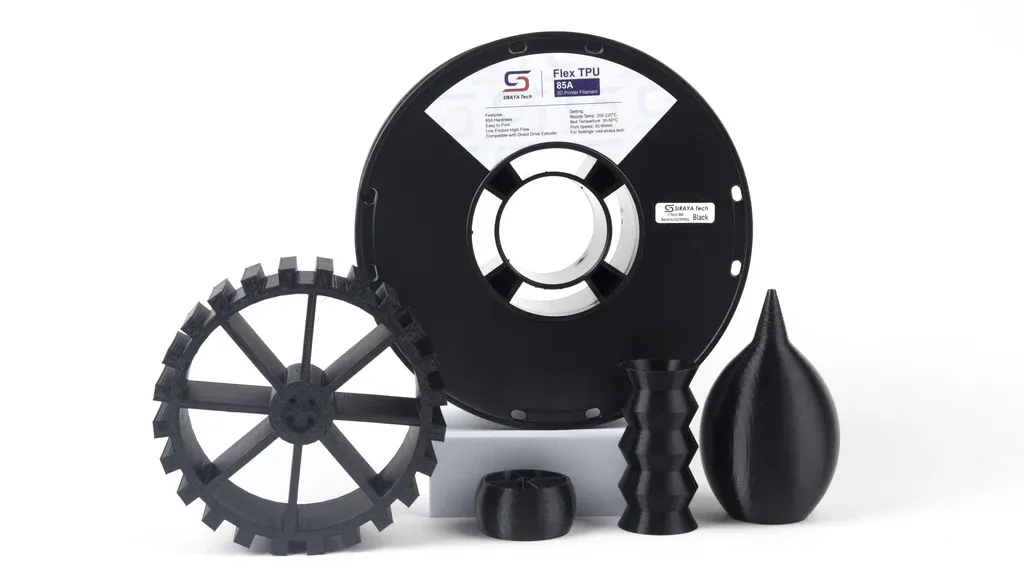
Printing TPU 85A on Consumer Printers
What actually works and why profiles matter
TPU 85A sits in an uncomfortable middle ground.
It is flexible enough to cause feeding problems, but stiff enough that people assume it should print like normal filament.
That assumption is why so many TPU prints fail.
I recently ran TPU 85A on a consumer-grade printer, a Bambu Lab P1S, and hit the usual wall.
Underextrusion, inconsistent layers, random weak spots, and failed prints that made no sense on paper.
Temperatures were correct.
Speeds were conservative.
Retractions were minimal.
Still unreliable.
The real problem with TPU 85A
TPU 85A does not behave like rigid filament in the extruder.
Instead of being pulled cleanly, it compresses, flexes, and deforms under load.
On consumer extruders, that means one thing.
The drive gears lose control.
Once the filament starts flexing between the gears and the hotend, extrusion becomes inconsistent.
No slicer setting can fully compensate for poor mechanical control.
The fix was mechanical, not software
The solution was simple but not obvious.
I added external pressure to the filament so the extruder gears could actually grip the TPU consistently.
By constraining the filament and preventing it from flexing sideways, extrusion stabilized immediately.
Layer consistency improved.
Bonding improved.
Prints became repeatable.
Nothing else changed.
Same material.
Same printer.
Same slicer.
The difference was filament control.
This is where consumer printers usually hit their limit with soft materials.
Not because they are bad machines, but because flexible filament exposes mechanical weaknesses first.
Why manufacturer profiles matter more than people think
Another mistake I see constantly is ignoring filament manufacturer profiles.
TPU is not just TPU.
Different brands use different polymer blends, plasticizers, and pigments.
Those differences change melt flow, elasticity, and cooling behavior.
Manufacturer-provided profiles are not marketing fluff.
They are tested baselines built around that exact formulation.
Using a generic TPU profile often means:
Incorrect extrusion pressure
Wrong temperature window
Poor layer bonding
Unstable flow during long prints
A manufacturer profile gives you a known starting point.
From there, you tune for your specific printer and use case.
Skipping that step guarantees wasted material and inconsistent results.
Consumer printers can print TPU 85A, with conditions
Printers like the Bambu Lab P1S are capable machines.
But flexible materials demand more than good firmware and fast motion systems.
They demand:
Proper filament guidance
Controlled extrusion pressure
Realistic expectations of hardware limits
Correct base profiles from the filament manufacturer
If extrusion is unstable, no amount of slicer tweaking will save the print.
Fix the mechanical problem first.
The takeaway
TPU 85A failures are rarely mysterious.
They come from treating flexible filament like rigid plastic.
Control the filament.
Start with manufacturer profiles.
Tune only after extrusion is mechanically stable.
Most “difficult” materials are only difficult because the fundamentals are ignored.
If you want, I can follow this up with:
A breakdown of external filament constraint options
A comparison between direct drive designs for TPU
Or a checklist for qualifying new TPU brands before production runs