First Layer Adhesion Fails for Simple Reasons, and Here’s How to Fix Them
Every 3D printing problem has a cause, but most failed prints share one thing in common.
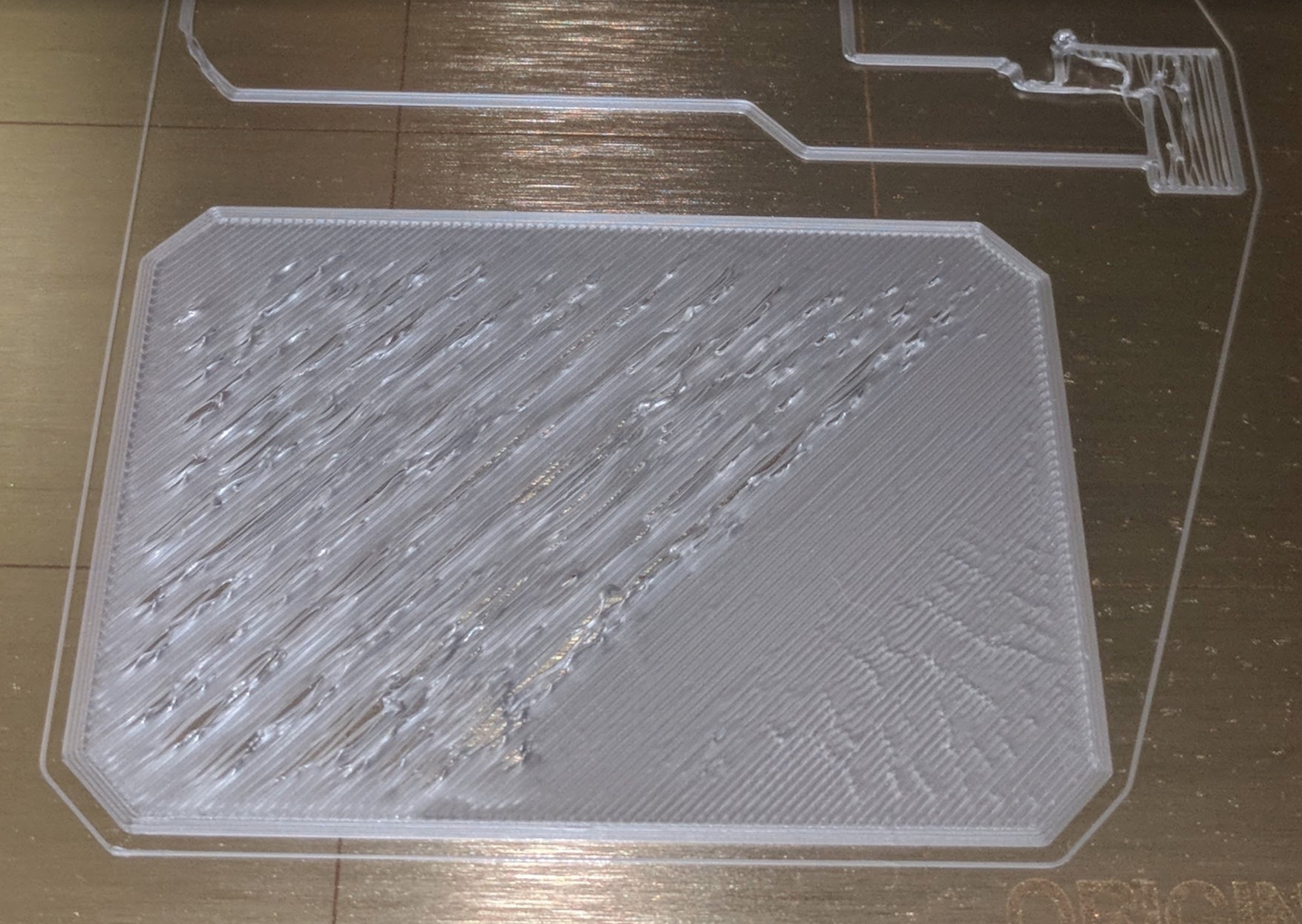
The first layer did not stick.
If that first layer fails, the print is already lost. Everything above it depends on that single foundation.
The good news is that adhesion issues are simple to understand and easy to fix once you know where to look.
1. Incorrect Nozzle Distance
The distance between your nozzle and the build plate determines how well the filament bonds.
If the nozzle is too high, the filament will not grip and will peel off.
If it is too low, the nozzle will scrape or block extrusion.
The ideal first layer looks slightly flattened and smooth, not round or overly squished.
Use a sheet of paper or a feeler gauge when setting your Z offset.
Run a mesh bed leveling routine or check your corners manually before every major print.
2. Dirty Build Surface
Fingerprints, dust, and oils are the fastest way to ruin adhesion.
Even the smallest amount of residue prevents the filament from bonding properly.
Wipe your bed with isopropyl alcohol (IPA) before every print.
If you use glue or adhesive spray, apply a thin, even coat instead of layering old residue.
A clean bed equals reliable first layers.
3. Wrong Bed Temperature
Each filament type has an optimal bed temperature range.
A bed that is too cold causes the print to lift.
A bed that is too hot can make the bottom layer too soft and cause warping later.
Use these general guidelines:
PLA: 55–65°C
PETG: 70–80°C
ABS: 95–110°C
Always check the manufacturer’s data sheet for exact values.
A small 5°C change can make or break adhesion.
4. Printing Too Fast
The first layer needs time to stick. Printing too fast does not give the filament enough contact time to bond.
Slow your first layer speed to 40–50% of your normal print speed and increase the layer height slightly.
For a 0.4 mm nozzle, 0.25 mm is a good starting point.
A slower and thicker first layer ensures better grip and more tolerance for minor leveling errors.
5. Wrong or Worn Print Surface
Different materials prefer different surfaces.
PLA bonds best to clean PEI or glass.
PETG needs a textured sheet or a thin layer of glue to prevent it from welding to the surface.
If your plate has scratches, glossy spots, or a worn coating, replace it.
A new build plate often fixes adhesion problems immediately.
6. Cooling Too Early
Cooling fans are useful, but not during the first few layers.
Turning the fan on too soon lowers the surface temperature and weakens adhesion.
Keep the part cooling fan off for at least the first two to three layers.
Once the base has bonded firmly, enable cooling gradually to prevent warping and improve overhangs.
Making Adhesion Reliable
First layer adhesion is not guesswork. It is a process.
Once your printer is leveled, clean, and tuned, good adhesion becomes automatic.
Consistent first layers lead to consistent prints.
You save time, reduce wasted filament, and make your printer production-ready instead of unpredictable.